
Data Collection
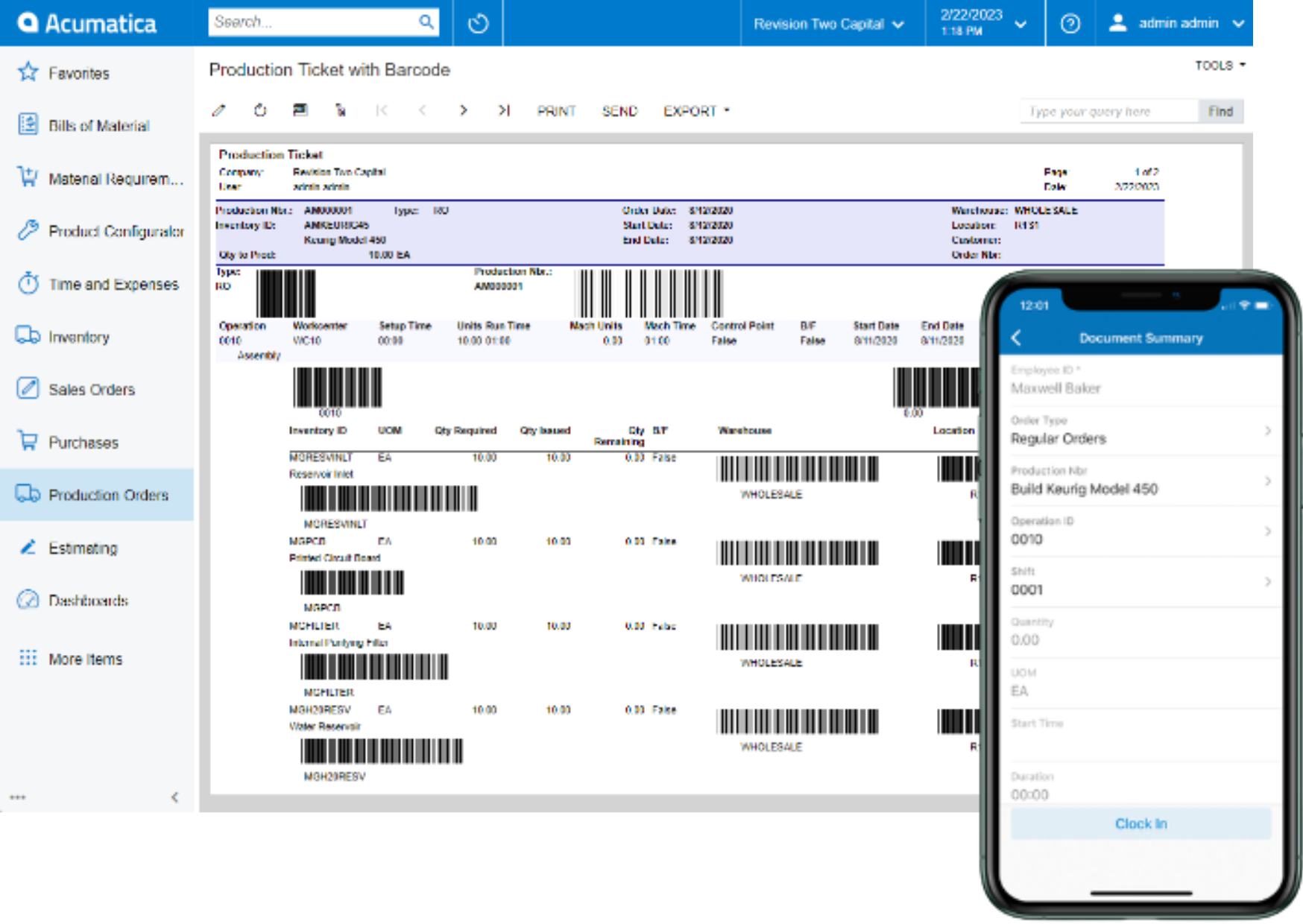
Automate shop floor material and labour transactions with barcode scanning and mobile apps for manufacturing transactions for real-time visibility into production from the shop floor and detailed work in process analysis.
Key business benefits
Related Resources
Manufacturing Data Capture from the Shop Floor via Rugged Devices
Print barcoded production tickets and labels to scan material movement and labour transactions directly from the shop floor in real-time. Automated data capture via rugged mobile devices for improved data accuracy eliminating the need for manual, after-the-fact data entry for shop floor transactions.
Live data is available from role-based dashboards with actionable reports and inquiries providing into factory activities for detailed analysis with push notifications when shop floor incidents require immediate attention.
Manufacturing Data Capture Features:
Material Movement: Scan barcodes to move materials to production orders, through the entire production process, and into finished goods inventory when the job is complete. Automated transactions update inventory and work in process (WIP) in real-time.
Labour Entry and Time Tracking: Clock-in to start production order operations and clock-out to report production quantities and automatically capture time for labour transactions. The system automatically calculates the duration of the transaction and posts labour to the production order and WIP.
Mobile Compatibility: Flexible options for personal mobile iPhone/iOS and Android devices, as well as shared terminal scanners with internet connections.
For us, the power of the Acumatica system is in the WMS and shop floor data collection, the inventory management, and the ability to deliver to a customer and to get things right.
–Ben Leinster, CEO, AFF|group
Material Movement
Scan production tickets to move materials to production orders, downstream production operations, and into finished goods inventory when production is completed. Default material requirements from the production order and bill of material can be used to expedite transaction entry.
Clock-In / Clock-Out
Clock-in to start production order operations and clock-out to report production quantities and automatically capture time for labour transactions.
Supervisor Review
Scanned transactions can optionally be reviewed by supervisors facilitating data correction before posting to the database.
Mobile Compatibility
Access Manufacturing Data Collection on individual iPhone/iOS or Android devices or use shared terminals connected to barcode scanners compatible with internet applications.
Default Settings
Set defaults for automated data capture transactions, such as setting the default order type for automated scans; using the required quantity of materials as defined in the production ticket bill of materials for move transactions; mandatory location selection for material transactions; confirmation by line; use default warehouse; use default auto-generated lot or serial numbers; use default expiration date; and more.
Optional User-Defined Labels
Use Manufacturing Data Collection with connected label software to create 2D or 3D labels in multiple sizes and orientations containing part numbers, lot and serial details, expiration dates, and more.