
Bill of Material and Routing
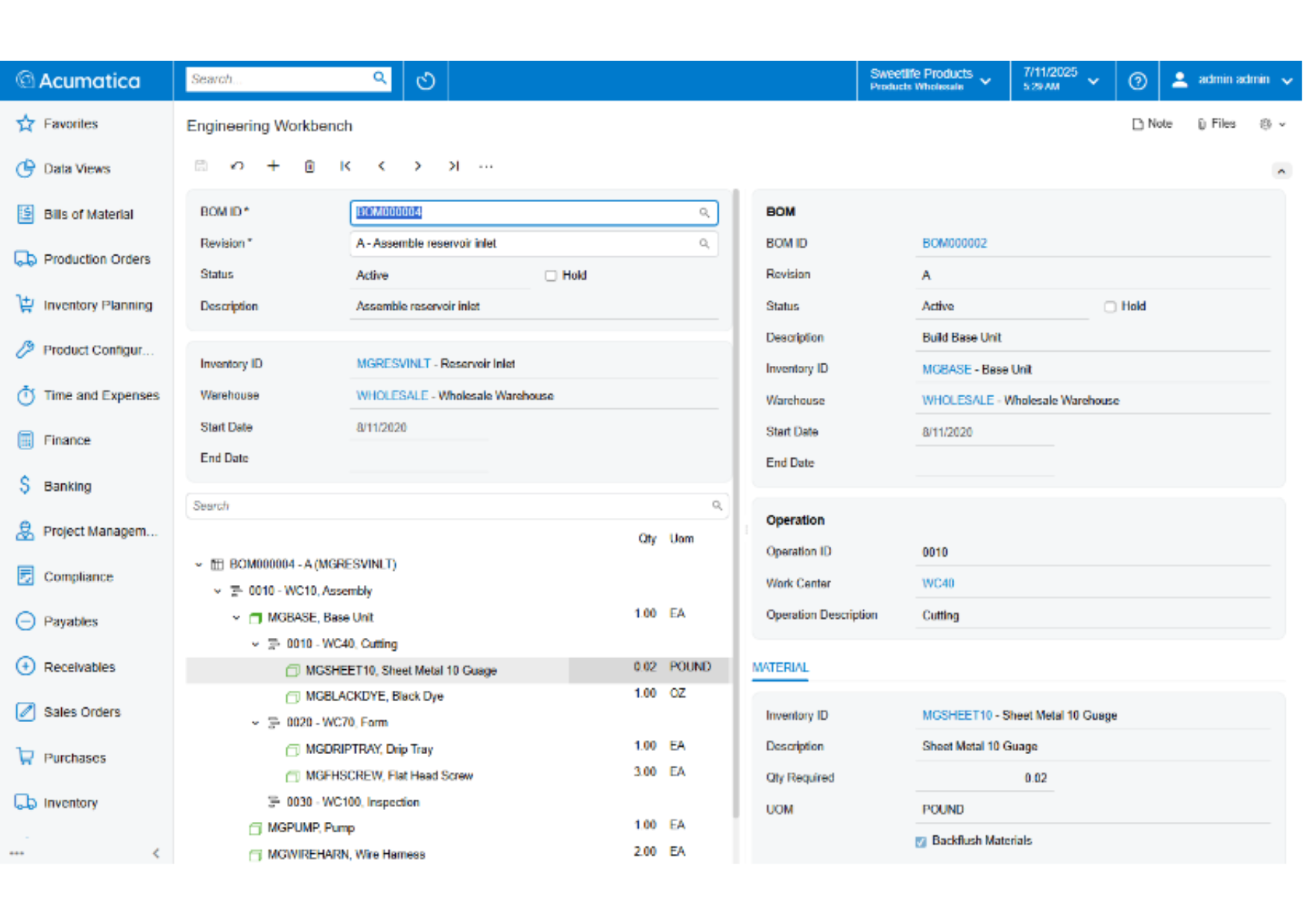
Inaccurate bills of material and routing definitions disrupt production schedules, create cost variances, and wreak havoc on material plans. Connect materials, work instructions, and overhead costs to an operation to accommodate the time-phased release of materials.
Key business benefits
Related Resources
Create, Maintain, and Control Bill of Material and Labour Definitions for Products and Production Processes
The Bill of Material (BOM) and Routing application, part of the Acumatica Manufacturing Edition, creates production specifications forming the framework for planning functionality in all Acumatica Manufacturing Edition applications. Maintenance of the BOM and Routing information is performed through a single screen. Revision control is available with the optional Engineering Change Control application or Acumatica for Arena Native Connector to enforce change management business processes and approvals for engineering revisions.
Acumatica uses an integrated bill of material and routing where defined steps in the production process include both material and labour operations. This structure is common in most modern ERP applications.
INTEGRATED BOM AND ROUTING
• Directly connect materials, work instructions, attributes, and overhead costs with manufacturing labour operations.
• Allow for the time-phased release of materials
MULTILEVEL BOM AND ROUTING
• List the components required to produce an item and any sub-assemblies with their components.
• Provide an engineering and a costed view of the entire product structure.
The fact that we can build out detailed BOMs and have good information about product costing is a big benefit and something that we really struggled with before.
–Andy Gale, CFO and COO, Liveview Technologies
Effectivity and Expiration Dates
Control material planning and usage according to effectivity dates for phase-in and phase-out of content changes.
Production Steps
Document the entire process using detailed work instructions and standard note capability for each process step.
Where Used
Allows components to be displayed where they are used on a single or multi-level bill of material.
Phantoms
Use phantom items to simplify structure maintenance for related groups of parts and materials to multiple products. If you create a planning bill of material, your planning and production teams can “skip over” phantoms to plan and allocate components.
Reference Designators
Relate BOM component parts to the drawing’s part numbers to avoid confusion and duplicate entry in the bill of material.
Multiple Sites
Manage multiple sites with different or alternate BOM/Routing definitions for each location.
BOM Cost Roll
Use flexible cost roll activities for a single or multi-level BOM, by item or site. Costs for the lower-level item “roll” into costs for top level items. In a standard cost operation, the cost roll updates the pending standard cost for each item in inventory.
Flexible Copy BOM
Copy existing BOM/routing definitions to create alternate BOM/routings or new items.
Mass Change
Replace a component with a different component on individual or all bills of material.
Attributes
Display optional or required values when reporting production. Attributes are available on the bill of material header and operations and can be copied to a production order when the order is created.
Revision Control
Maintain a complete revision history of BOM/routing. Save and view multiple revisions – past, present, and future – and the reason for the revision.
Visual BOM
Manage multi-level bills of material with the Visual BOM editor to identify components at each level in the BOM. The Visual BOM editor provides access to every component and details within a single screen making it easy to edit details.
Optional Engineering Change Control
BOM revisions may be restricted when companies use the optional Acumatica Engineering Change Control application to enforce change control processes and approvals for bill of material and routing changes.
Engineering BOM Synchronisation
New part bill of materials and revisions to existing bills of material may be synchronized with the optional Acumatica for Arena Native Connector application. CAD connectors are also available from the marketplace to harmonise bill of material details between Acumatica and third-party product design applications.