
Acumatica Mobile App
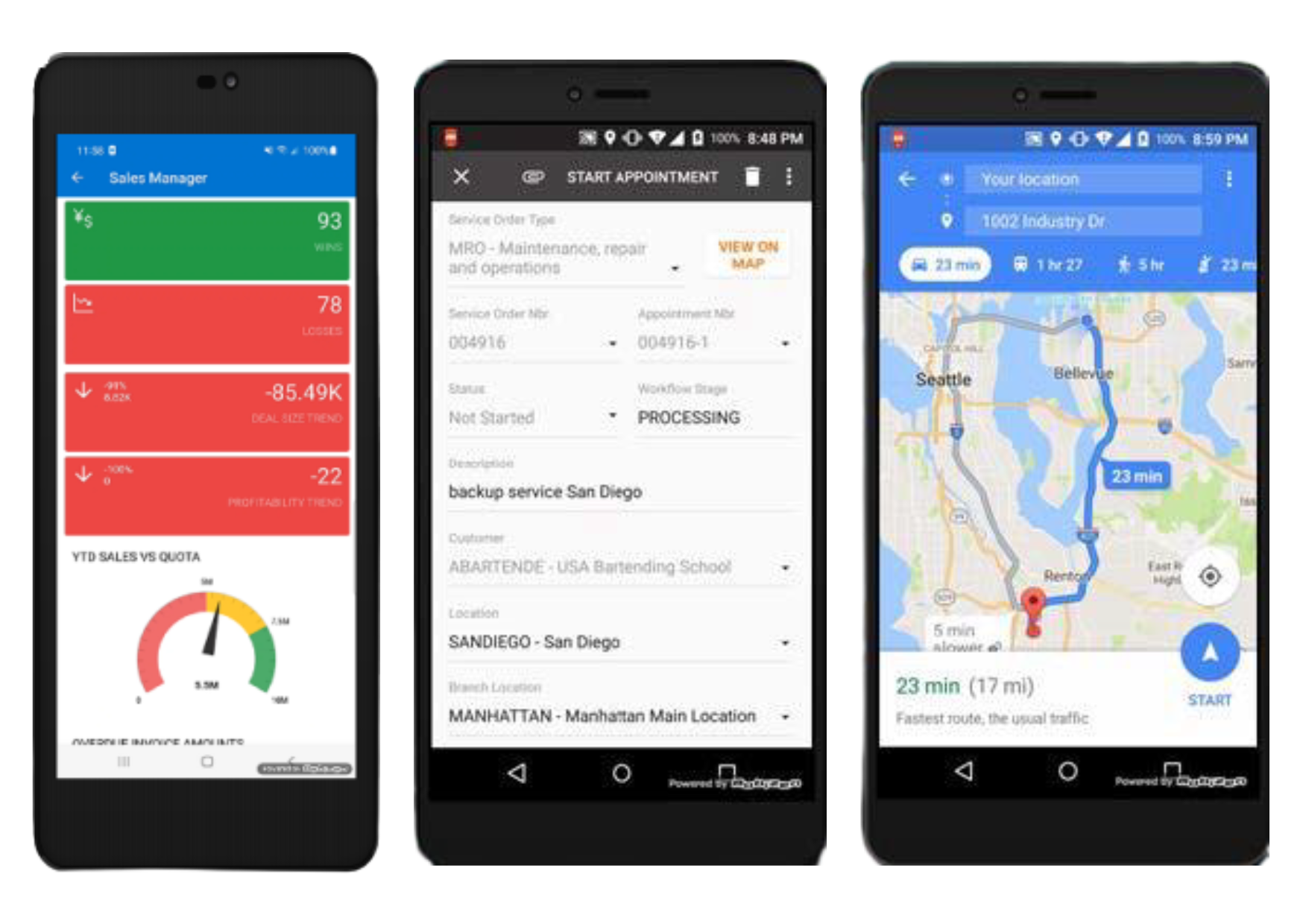
Acumatica’s native mobile app boosts productivity, placing remote access to ERP data in the palm of your hand. View accounts and contacts, manage approvals, start field service appointments, capture field reports and images from job sites, and retrieve real-time information from across your organization. Check the status of an order, review stocking levels by warehouse location, and manage your business by exception.
Key business benefits
Access Acumatica Anywhere, Anytime with Mobile App for IOS and Android
Over the last decade, mobile devices and applications have woven themselves into the fabric of our lives. Generations of digital natives seek information, buy products, manage their financial transactions (and so much more) while on the go. They have come to expect nothing less in their professional lives. So, businesses have embraced mobile applications, which let employees and customers access critical information and activities anytime, from anywhere with any mobile device.
But not all mobile applications are created equal. Acumatica’s mobile application framework empowers remote workers with native apps for expense reporting, time entry, mobile dashboards, and supervisory approvals.
Construction and field service workers use mobile apps for field reports, to collaborate with project managers, to report units installed, and to access service appointment details with mobile payment capture and GPS navigation via their mobile device.
Acumatica’s native mobility support distribution and manufacturing environments for automated data capture in the warehouse or factory floor for inventory receipts, picking, packing, shipments, warehouse transfers, production activities, and more. Empower sales with mobile access to accounts, contacts, leads, opportunities, and sales activities with a 360-degree view of customer and prospect transactions including financials, projects, orders, and support cases.
Our field employees who are delivering and installing critical equipment into people’s homes are staying safe and remain fully connected using the Acumatica mobile application. We’re not spending time looking for documents or making phone calls or, heaven forbid, installing something that does not meet customer expectations.
– Bryan Mullen, SVP Shared Services, Lifeway Mobility
Time Reporting
Update Acumatica immediately from anywhere, at any time with mobile timecard entry.
Approvals
Review and complete approvals for time, expense, and sales orders in just a few clicks.
Task Management
Create an event in the mobile app and edit it in Acumatica CRM at any time.
Available on iOS and Android
Increase employee productivity by letting your staff work on the devices of their choice.
Free Download
Download the iOS or Android app from the Apple App Store or Google Play at no cost.
Mobile Push Notifications
Automatically notify users of business events via the mobile app. For example, the app can notify salespeople of new opportunities.
Navigation Tabs
Navigate to the most used detail lists by tapping or swiping on the mobile form. For example, users can swipe to view Summary, Details, and Settings on an order form.
Upload Images Using a Mobile Device
Use the web interface to capture and upload images with a registered mobile device. Capture an image of a receipt and Acumatica automatically creates the expense receipt using AI with Machine Learning. Capture client signatures and attach them to documents.
Personal Mobile Workspace
Personalise mobile workspace with widgets, favourites, and KPIs to support user preferences and priorities.
Signature Capture
Capture and attach signatures to documents. Enable users to sign documents, request signatures, and automate recordkeeping of signed documents.
Sales Mobility
Access customer and prospect account, contact, lead, and opportunity details from any mobile device. Record sales activities while on the road with full access to account financials, order status, and support cases.
Construction Mobility
Capture time, project issues, change requests, and more. Streamline service expense entry with scanned receipt image recognition from the mobile app. Increase efficiency by creating, editing, or deleting submittals and drawing logs with file or photo attachments and defined workflows from the Acumatica mobile app for project activities.
Service Mobility
Update appointments on the road or at customer locations using the mobile application available for Android and iOS. Access customer history, take payments, enter expense receipts, and capture signatures directly from your mobile device. Review equipment details and service history while on-site at customer locations.
Warehouse Mobility
Use mobile apps for automated warehouse and inventory transactions including receiving, put-away, picking, packing, shipments, warehouse transfers, and more.
Manufacturing Mobility
Scan barcoded reports and labels to report material movement from raw material inventory into production, through downstream manufacturing operations, and into finished goods inventory when production is complete. Clock-in and clock-out of jobs to capture labour transactions to update work in process (WIP).