
Material Requirements Planning
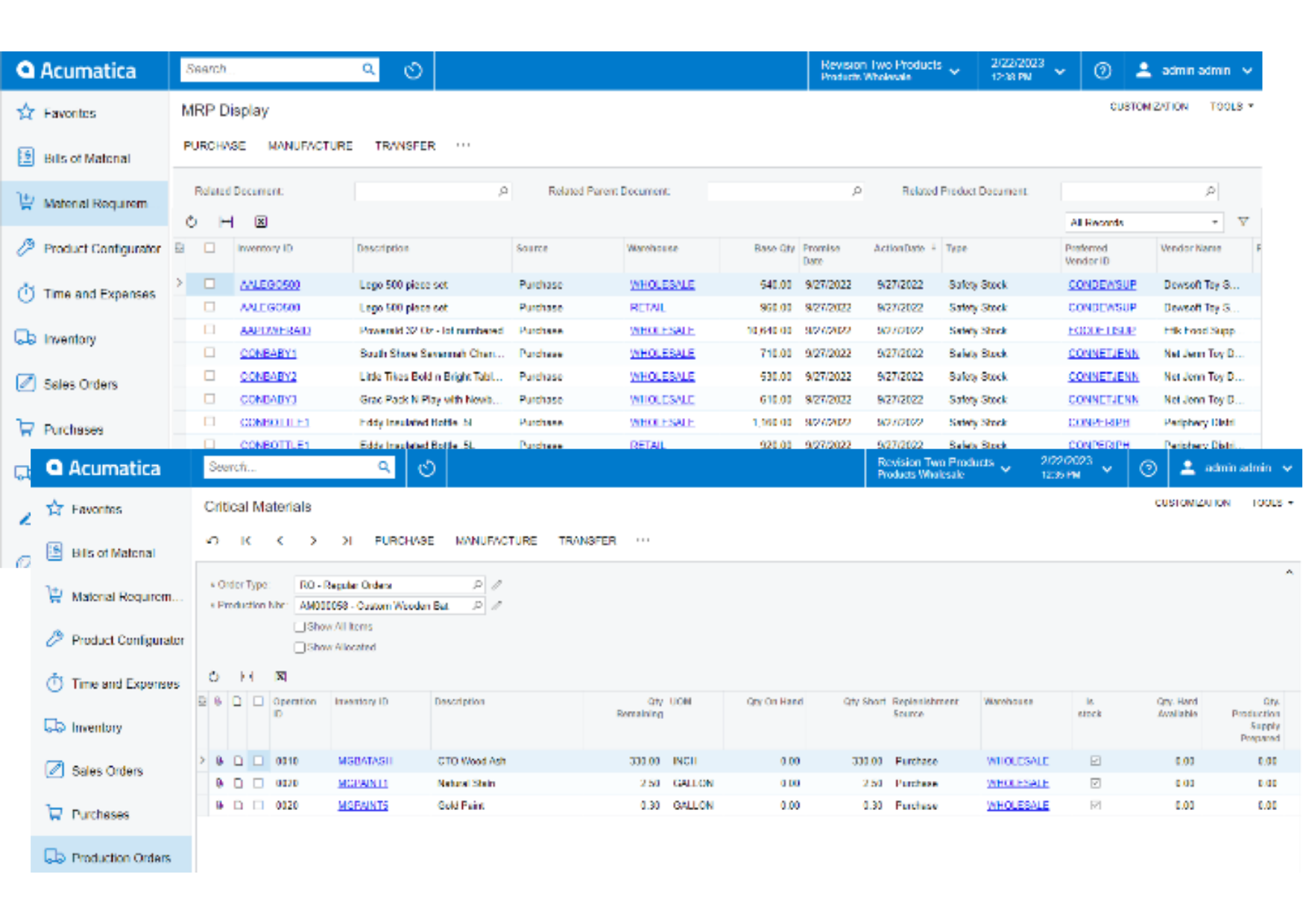
Time-phased material planning ensures materials are procured or manufactured just in time. Critical material reports and exception messages help planners to respond to real-world changes impacting demand and production schedules.
Key business benefits
Related Resources
Satisfy Customer Requirements While Maintaining Optimal Inventory Levels
Generate time-phased manufacturing and purchasing plans for optimal inventory availability tied to forecast and customer demands. Reduce inventory, improve customer service, and avoid shortages and stock-out scenarios that result in costly changeovers and rush orders. MRP enables companies to set and maintain stock levels for frequently used items with a consolidated view of demand in user-defined time buckets with recommended actions to manage shifts in supply and demand.
MRP DISPLAY
• Manage by exception to identify what needs to be purchased, transferred, or produced from a single screen.
• All supply and demand can be viewed from a centralised location.
• Production, Purchase, and Transfer Orders are created directly from this screen.
FULL REGENERATION
• Schedule regeneration to run anytime, day or night.
• All existing planned orders for all items are eliminated.
• MRP starts over, calculating gross and net requirements. It then replans the required materials to be produced or purchased.
MASTER PRODUCTION SCHEDULE
• Drive your plan and plant operations from the Master Production Schedule (MPS).
• MRP plans all requirements based on the MPS.
• MPS will be treated as pre-planned production orders acting as the supply for other demand requirements.
[MRP] has been a game changer. We never had that. We didn’t know what was on order or what to make until we reviewed the order. Now the computer tells us what to make and when to make it.
–Cory Childers, Production Manager, AFF|group
Forecasting
Forecasts can be calculated or entered manually. These forecasts can be dependent and consumed by sales orders, or they can be independent. Input forecasts as one-time, weekly, monthly, or yearly.
MRP Detail
Review and execute the complete material plan through MRP screens that show all activity, orders, requirements, balances, and recommendations for an inventory item.
Bucketless System
Enhance your manufacturing resource planning by planning every requirement for every item. Acumatica MRP does not ignore detail by grouping requirements together.
Multi-Site
Run MRP for a single site or across multiple locations for a consolidated material plan.
Multi-Warehouse
Manage production plans, procurement, and transfers across warehouse locations. MRP suggests planned production orders that drive requirements throughout your organization to supply warehouses down to your vendors.
Queue, Finish, and Move Time
Queue, Finish, and Move Time: Improve material requirements planning by defining finish, move, and queue times for operations that require cooling, drying, movement to upstream operations (such as outsourced manufacturing services), and other expected non-production times.
MRP Days Supply
Define planning buckets to consolidate demand into single purchase orders. Planned period sizes are defined by item class, stock item, or item and warehouse combination. Further, a system-wide setting can be defined for planned orders beyond the initial planning horizon for longer-term planning.
Manage by Exception
Access MRP exception messages for recommendations to defer, delete, expedite, or place on hold actual or firmed production, purchasing, or transfer orders based on refreshed data in the system. Exception messages further aid planners with information such as available transfers, notifications for orders without scheduled shipment dates, transfers without replenishing warehouses, and circular transfers.
Transfers
Balance supply and demand for planned inbound and outbound transfer orders across warehouse locations.
Blanket Sales Orders
As forecasted demand, blanket sales order lines for future dates are included in MRP planning. Blanket release child sales orders are processed as normal sales order demand.
Order Quantities
MRP uses safety stock and reorder point levels to determine quantities for planned orders. Further, users can set minimum and maximum order quantities for suggested orders to match production batch sizes or preferred supplier order quantities. Lot sizes are used to smooth demand quantities by defined multiples. For example, a lot size of 5 and demand for 37 units would result in a planned order for 40 (rounded up from 37 in a multiple of 5).
Order Lead Times
MRP respects vendor lead times defined in inventory for purchased items. Users can set additional lead time when the product may need to be quarantined and inspected before it is moved to an on-hand location for manufacturing. Lead times are also defined for manufactured items and warehouse transfers.
MRP History and Audit
Benchmark previous MRP generations to evaluate past MRP performance to understand if generation times varied due to larger date ranges, setup issues, or other factors.