
Accounts Payable
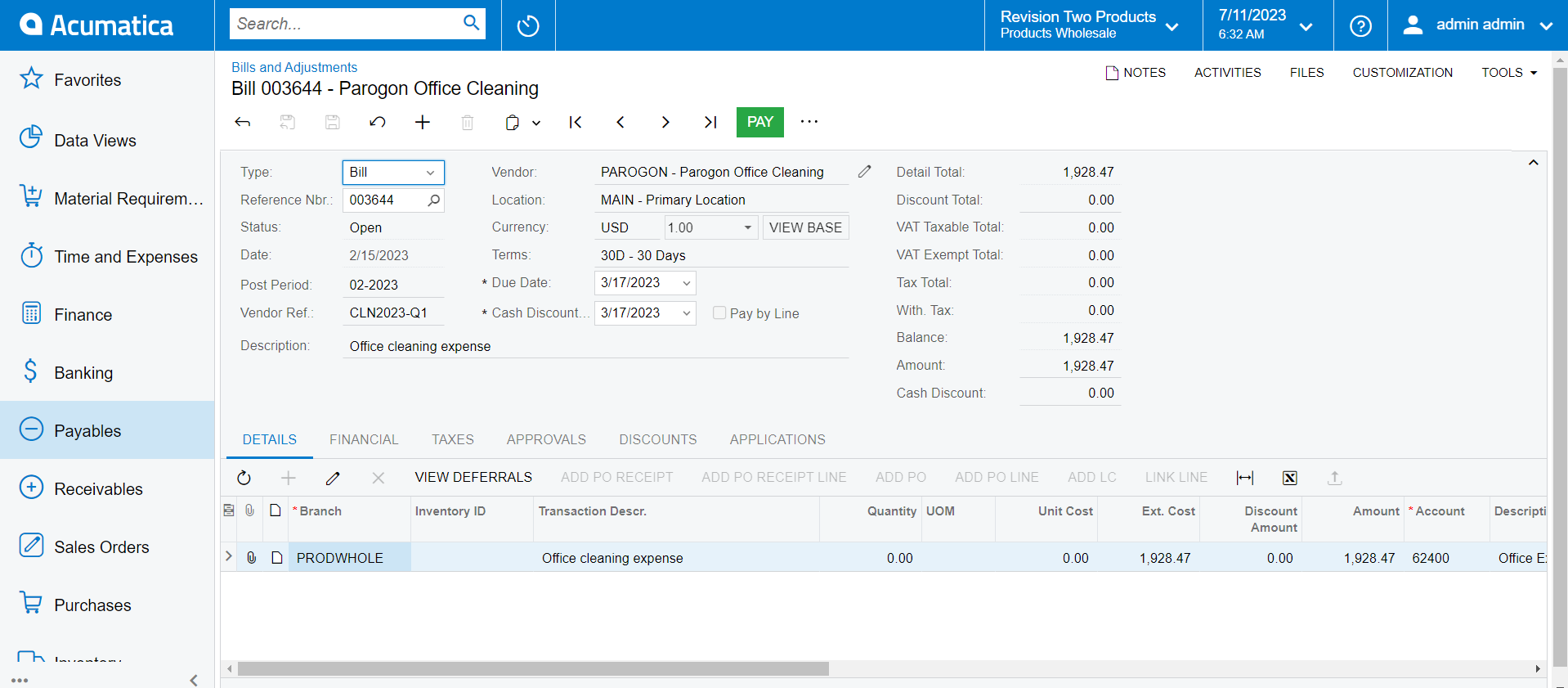
Acumatica’s Accounts Payable software delivers robust accounts payable features, enabling you to track money owed, available discounts, due dates, and cash requirements on one unified system. Create and access anytime, anywhere.
Key business benefits
Related Resources
Streamline Payment Processes and Increase Accuracy
The Accounts Payable application streamlines your accounts payable processes and keeps outgoing cashflow timely and accurate. Accounts Payable automates the steps for receiving vendor invoices. It also keeps track of payment obligations, so you always pay vendors on time, which ultimately improves supplier relationships.
Manage vendor invoices, automate payment processing, predict cash requirements,
track vendor balances, optimise available discounts, and deliver vendor reports.
INTELLIGENT PAYMENT PROCESSING
Vendor Prepayments. Enter prepayment requests, issue prepayments, and apply
prepayments to invoices as they are received. Keep the prepayment balance separate
from the regular AP account. Match prepayments with charges and display the remaining balance after the bank charge.
Prepaid Expense Recognition. Assign a deferred expense schedule by AP line item.
Split payments between prepaid accounts and expense accounts.
AP Invoice Automated Approval and Payment. Set up automatic processes to approve payments or establish an approval process to prioritize or delay payment. Designate an account from which to pay or select a payment method.
Use, VAT, and Withholding Tax Support. Automatically calculate use, withholding,
and VAT taxes and prepare one or more versions of tax filing reports. Assign a default tax zone to each vendor. This default can be overridden during invoice entry. Tax calculation can include multiple tax items per document line, deduction of tax amount
from the price, and tax on tax calculation.
REMCAN is excited to start using the AP Artificial Intelligence invoice recognition. We’re processing well over 2,000 invoices a month, and the AP AI will allow us to be way more efficient.
– Andrea Deakove, Project Lead, REMCAN Projects
Vendor Payment Processing
Avoid overpaying vendors with a process flow that makes open debit adjustments automatically available to be selected during payment processing. Automatically export AP payments over the ACH network into the NACHA file format. Enable users to specify accounts for each vendor.
Multiple AP Accounts in GL
Link groups of vendors to specific AP accounts in the GL. Default accounts can be overridden during bill or payment processing. Automatically offset correct accounts when payment is applied.
Multiple Currency Support
Track vendor balances and pay vendors in foreign currencies. Automatically calculate realised gains/losses. Calculate unrealised gains/losses with an AP currency translation account. Consolidate reporting across companies with different base currencies.
Recurrent AP Documents
Create recurring bills by setting payment frequency and timeframe. Recurring bills will appear in recurrent transaction processing for review, modification, and release.
Vendor Refunds
Receive vendor refunds. Each vendor refund will debit a cash account and debit an AP Account. Apply a refund towards a Debit Adjustment or Prepayment document.
Cash Basis Accounting
Record revenue and expenses when actual payments are received or disbursed rather than when transactions occur.
Automated VAT Reporting
Automatically calculate taxes and verify tax zones by address to prevent the creation of multiple tax zones. Allow users to add 100% tax lines and taxable lines in the same form.
AP Aging Reports
Analyse upcoming obligations by configuring AP aging categories that are reflected in a full set of aging reports. By providing total outstanding balances and past due accounts, aging reports help analyse your AP, cash requirements, and vendor performance.
Audit Trails
Maintain an audit trail of all transactions. Documents cannot
be deleted or cancelled. Correct mistakes by correcting or reversing entries. Capture IDs of users who enter transactions and users who modify records. Attach notes and electronic documents to transactions.
Vendor Account Security
Control access and restrict sensitive vendor information by
specifying which individuals and roles can view and modify vendor account information and balances.
Create AP Documents from Inbox
Apply AI/ML technology to import PDF documents from files
or email attachments and transform them into AP documents. Automatically search for vendors by email address.
Invoice Preview in Side Panels
Access side panels on incoming documents to view invoices and related PDF documents on the side panel.