
Accounts Receivable
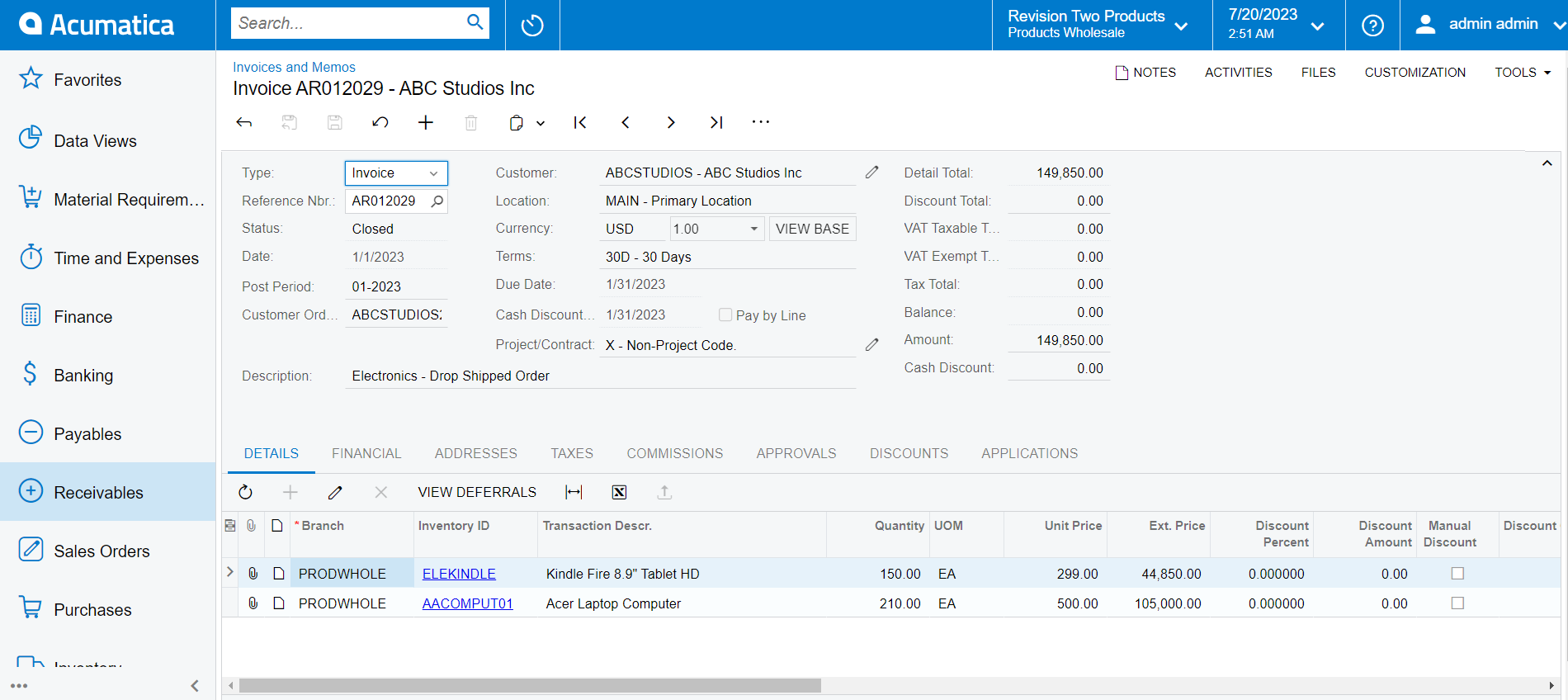
Accounts Receivable helps improve collections by automating processes, tracking receivables, managing customer refunds, and controlling credit risks. It is fully integrated with all Acumatica modules.
Key business benefits
Related Resources
Manage Customer Accounts, Reduce Credit Risks, and Improve Cash Flow
Generate invoices, send statements, collect and apply payments, verify balances, track
commissions, manage customer refunds, and deliver customer reports. Get
comprehensive reporting anywhere, any time, on any device.
KEY FEATURES OF ACCOUNTS RECEIVABLE
Flexible invoice and statement delivery. Gain greater control over how you create and deliver customer invoices and statements. Format statements for printing, HTML, or PDF delivery. Keep full records for reference and auditing.
Recurring billing. Create contract templates to apply and manage fees, overage charges, and minimum charges. Specify start and end dates, renewal terms, billing schedule, and line items. Include billable hours and support hours in bills.
Credit card processing. Accept PCI-compliant credit card payments and manual charges, transaction voids, and refunds. View transactions and issue warnings for expiring cards. Connect to bank processing centres. Expand credit card processing options by integrating with Fotis Credit Card Processing Centre. If you cannot process credit card transactions, you can disable credit to simplify user screens.
Deferred revenue recognition. Use deferred revenue codes for individual line items at invoicing to support revenue recognition requirements. Acumatica will recognise the current part of deferred revenue and generate the right transactions.
Parent-child credit policy. Configure parent-child relationships between accounts for branches/franchises. Manage credit control on the parent account level.
We have a nice-looking dashboard that shows what’s past due now and who’s out 60 or 90 days; it’s color-coded, and we can drill down and see notes about the account. We can also see the top 10 overdue accounts and past due by salesperson, which has helped us collect more efficiently.
–Derrick Elledge, VP of Operations and Co-Owner, Power Storage Solutions
Recurring Billing
Create contract templates to apply and manage recurring
monthly fees, setup fees, renewal fees, consumption-based fees, overage charges, and minimum charge amounts. Specify start and end dates, renewal terms, a billing schedule, and line items. Link contracts to case management and employee time sheets to include billable hours and customer support hours in bills.
Multiple AR Accounts in GL
Map customers to various AR accounts in GL. Override default AR account at document entry. Track account assignments and apply offsets and amounts when the payment is applied.
Multiple Currency Support
Support multiple base currencies. Issue invoices and collect
payments in any currency. Maintain balances in the foreign currency as well as the base currency. Automatic currency translations provide real-time adjustments based on the current rate, complete currency triangulation on payment, compute realized gain or loss, and compute unrealised gain or loss for open items. Consolidate reporting across companies with different base currencies.
Automated Tax Reporting
Calculate sales and value-added tax (VAT) taxes and prepare for tax filing reports automatically. Support multiple tax items per line, deduct tax amount from price, and tax on tax calculations.
Customer Balances and Credit Limit Verification
Enforce credit limits at order entry, and invoicing. Block invoice processing or issue warnings. Create dunning messages for past-due accounts and include related documents and fees, and customise messages, attachments, and fees. Temporarily increase credit limits.
Payment Reversal, Automatic Payment Application
Apply payments automatically to the oldest outstanding documents. Easily void incorrect payment applications—all affected balances will be reversed automatically.
AR Aging by Project Report
Display an AR Aging by Project Report by project rather than by customer to reduce days sales outstanding (DSOs) and improve payment efficiency.
Sales Commission Calculation
Calculate commissions automatically on a monthly, quarterly, or annual basis. Split commissions, link them to line items, and pay when the invoice is issued or paid.
Overdue Charges Calculation
Calculate and apply overdue charges automatically. Compute them as a percentage or minimum charge amount.
Small Balances Write-Off
Write off small document balances. You can control write-offs using a maximum write-off limit and eligible customers list.
Cash Basis Accounting
Record revenue and expenses when actual payments are received or disbursed rather than when the transactions occur.
Audit Trails
Get audit trails of transactions. Correct errors by reversing fully documented entries. Track user IDs for transactions and
modifications. Attach notes and documents to transactions.
Customer Account Security and Date Integrity
Specify individuals and roles to view and modify customer information and balances. Validate dates on forms and projects. Reject dates that conflict with the master calendar.
Manage Customer Refund Balances
Apply partial or full refunds to payments, pre-payments, and credit memos. Track and report balances by customer.
Support for the Authorize.Net API
Supports PCI DSS-compliant integration with Authorize.Net. Sensitive credit card information is never stored in the Acumatica ERP database. Instead, the system sends customer credit card details to the processing centre through an encrypted channel.