
Order Management
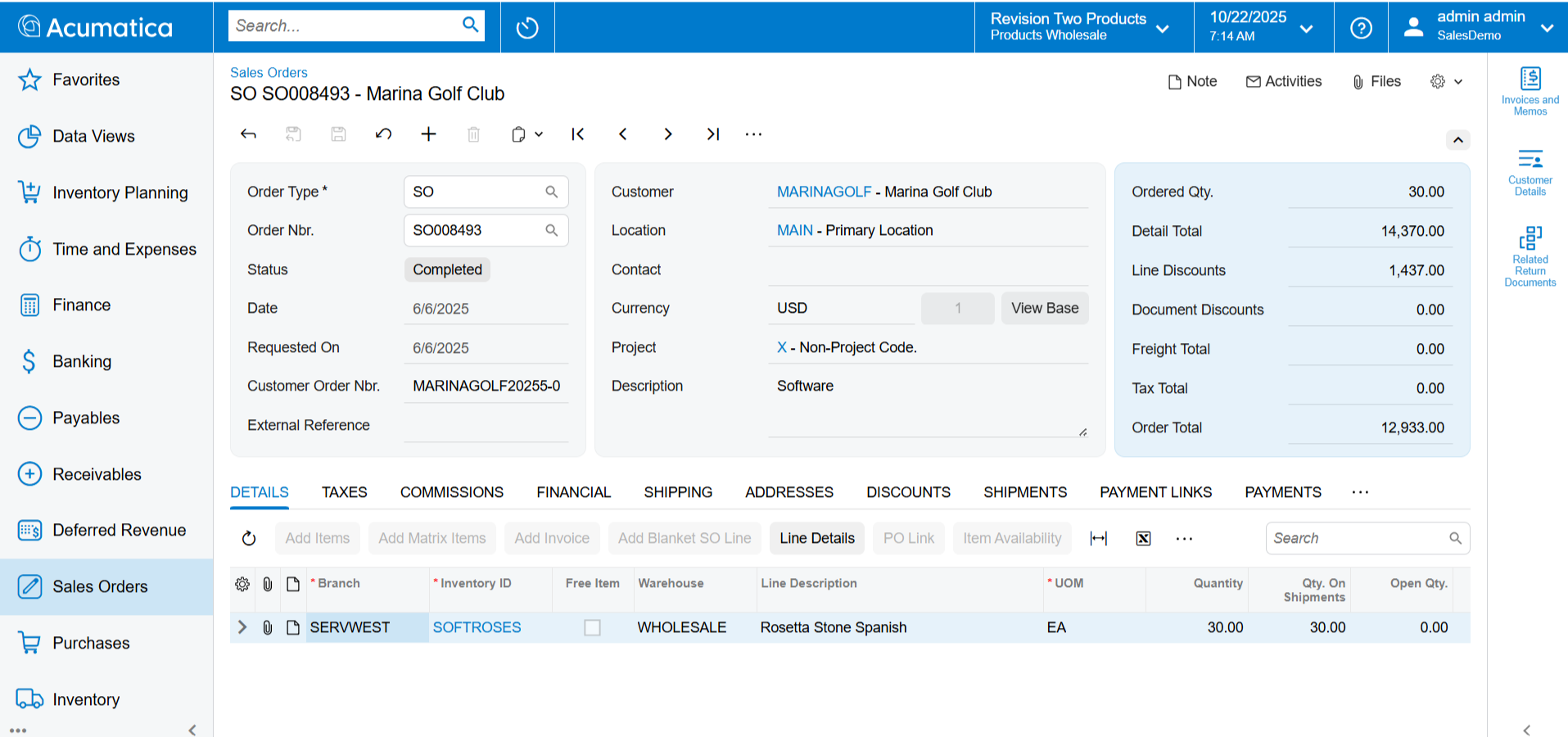
Streamline sales of stock products and non-stock service or digital items. Optimise sourcing activities with purchase orders and requisitions. Access inventory features for purchasing and sales.
Key business benefits
Related Resources
Harmonise Supply Chain Activities for Happier Customers and Vendors
Service, construction, professional service, non-profit, and commerce-driven marketing companies that do not carry stock inventory use Acumatica Order Management as an alternative to Acumatica Distribution Edition to manage sales of services and non-stock inventory. The integrated suite provides everything businesses need to thrill customers, manage vendor relationships, and harmonise activities with complete transparency for all stakeholders.
KEY FEATURES OF ORDER MANAGEMENT
Sales order management. Create quotes, enter orders, or synchronise orders from commerce storefronts or connected EDI applications with flexible pricing and discounting strategies and flexible order fulfilment options.
Purchasing management. For inventory-centric businesses, know what to buy, how much, and when with replenishment suggestions and valuable insights into supply and demand. Link sales orders with purchase orders and allocate received items to orders. Create requests for vendor quotes with bidding and configurable approval workflows.
Stock and Non-Stock Items. Use Order Management without Inventory Management for services and digital products or access advanced inventory features for sales and purchasing with the Inventory Management application.
CRM integration. Segment marketing lists, create marketing campaigns, and automate lead assignment to sales reps. Manage sales activities and convert opportunities into orders without re-entering information on the quote. Associate tasks and activity history with each order.
[Acumatica] brings my finances, my inventory control, my sales—everything—into a single system so that the entire company is talking apples to apples.”
–Paul Forres, Operations Manager, Global Asset
Order Management for Non-Stock Items
Create flexible pricing and discounting strategies for non-stock items such as labour or digital download products where items are not stocked. Process receipt of goods and returns for non-stock items without the Inventory Management application.
Sales Orders for Stock Items
Manage item prices and discounts for quotes and sales orders for stock inventory items when Order Management is used with Inventory Management. Convert approved quotes into sales orders with one click and synchronise orders received from connected commerce storefronts, electronic data interchange (EDI), or other systems.
Suggested Items
Sell more with cross-sell and up-sell item suggestions and never lose a sale with item substitutions.
Item Definition
Create stock inventory items using attributes for matrix items, build new items using kits, and manage item characteristics such as lot or serial number, units of measure, and expiration dates.
Automated Purchase Requisitioning
Bundle requests from multiple sources in a single requisition. Create approval rules based on quantity, request amount, and more. Aggregate supplier bids, send and approve quotes, issue purchase orders, and receive goods.
Multi-Level Approvals
Create approval rules for order types, vendor information, order amount, and other order-specific information. Control releases through a pre-set approval process.
Vendor Selection and Performance Analysis
Upload vendor price lists with product descriptions, prices, and delivery times. Update costs, quantities, and lead times each time you receive goods. Retain statistical information on vendor performance over time.
Blanket Orders
Simplify long-term customer and supplier contracts with blanket sales and purchase orders. Generate releases from blanket order contracts with pre-defined order quantities, dates, and ship-to locations.
Landed Cost Functionality
Include additional shipping and handling costs with purchased goods. Allocate costs using custom allocation methods. Directly enter landed cost bills in Accounts Payable and associate them with received goods.
Returns Management
Return Merchandise Authorization (RMA) features allow you to receive goods from customers. RMA orders can be processed as a credit to a customer balance or as a replacement for damaged goods. Every line can be marked with a reason code to specify the return reason.
Invoice Consolidation
Consolidate multiple shipment orders onto a single invoice— automatically or manually. Update price and discount information on review before printing the invoice and updating receivables.
Cross-Company Transactions
Streamline cross-company buy-sell transactions by automatically creating a sales order in one company from a purchase order in another company. Cross-company transactions generate the purchase receipt in the buying company from the shipment in the selling entity and create the sales invoice in the selling company when the bill is created in the buying company.
CRM Marketing and Sales
Manage marketing lists and create marketing campaigns with automated lead assignment and campaign performance results. Streamline sales with activities, meetings, attachments, and quotes with a 360-degree view of account, contact, and activity detail.
Audit Trail
Automatically create a complete audit trail of all transactions, including users who entered and approved transactions or modified records. Optional notes and attached electronic documents remain with the activity records.
Integrated Workflow
Automate order processing and eliminate unnecessary steps. Configure order status, status changes, actions, notifications, and alerts to trigger automatically during order processing.
Side Panels
Distribution side panels provide users with direct access to customers, vendors, items, and order details for sales orders, shipments, invoices, purchase orders, receipts, and more.
Role-Based Dashboards
Stay on top of your business with role-based dashboards for sales, purchasing, shipping, and receiving managers.
Reporting and Drill-Down
Analyse and manage your purchasing experience through a complete set of inquiry screens and auditing reports with drill down to the original transactions.