
Requisition Management
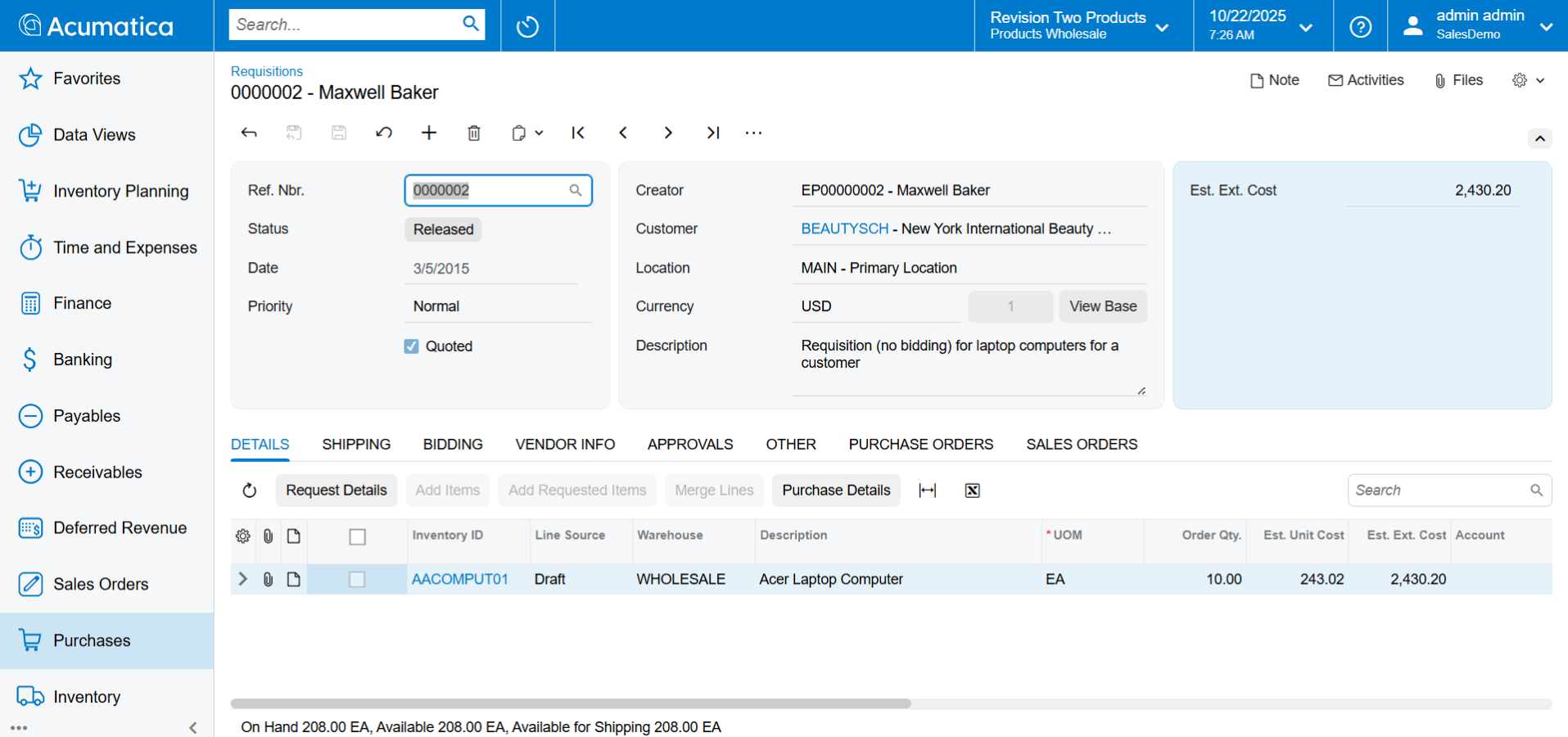
Minimise the complexity of purchasing multiple products from a wide range of suppliers with control and streamlined business processes.
Key business benefits
Related Resources
Simplify and Automate Complex Requisition Processes Involving Vendor Bids, Sales Quotes, and Approvals
Automate the way you gather requests, obtain vendor bids, create and approve quotes, manage purchases, and fulfil orders for internal or external clients. Eliminate paperwork while providing your sales, service, shipping, receiving, management, and other departments with greater visibility. Requisition Management integrates with Acumatica Purchase Order Management, Inventory Management, Project Accounting, Service Management, Sales Order Management, Acumatica Construction Edition, and Accounts Payable.
WITH ACUMATICA REQUISITION MANAGEMENT, YOU CAN
• Receive and approve requests from multiple sources
• Bundle requests into a consolidated requisition
• Source materials from inventory or use a vendor bidding process
• Create a sales quote for customer approval
• Create sales and purchase orders
• Include alerts when requests exceed allocated budgets
Another thing that I really liked—and it was a must—the software had to have this— was a Purchase Requisition which Acumatica has. Because, we are a distributor for a lot of our vendors but we have customers that come to us because we try to stay on top of everything for them and they order not only stuff that was stocked but we get them items they have a hard time finding.
-Dan Wilkins, Partner, Bell and Company
Purchasing Integration
Automatically create purchase orders in the purchase order module from approved requisitions.
Predefined Request Lists
Limit requests to a specific list of inventory items by user.
Hide Inventory Items
Optionally hide your product catalogue from users, requiring manual item entry.
Collect and Organise Requests
Bundle requests from multiple sources in a single requisition. Create approval rules based on quantity, request amount, or other factors.
Request Classes
Set requisition defaults by request class to simplify data entry and reduce errors. Limit selection to a specific list of items, create customer-only requests, hide vendor information, hide inventory catalogue information, allow multiple vendors per request, and set promised lead times.
Create Customer Quotes
Create customer quotes to offer a price to customers for requested goods.
Lead Times
Set lead times for vendor items. Promise dates are calculated automatically by backing out the lead time from the required date for item requests.
Shipping Instructions
Designate where the vendor should ship the requested items when the requisition is approved, and the purchase order is released. Requests can be made to ship items to any company location, to customer locations, job sites, or other addresses.
Sales Order Integration
Turn an approved quote into a sales order form with one click. Sales orders are managed by the rules within the sales order module and linked to the requisition for easy access.
Vendor Definition
Requests and requisitions may be specified for a defined vendor or created to solicit request for quote (RFQ) information from multiple vendors, including those who may not be already established in the system.
Expiration Dates
Capture vendor RFQ expiration dates for quotes. Create Generic Inquiries, dashboards, and business events to notify employees when RFQ expiration dates require their attention.
Mail Templates
Create mail templates or choose from a list of predefined templates for sending proposal requests to vendors via email.
Non-Stock Item Requests
Employees may create requests to purchase non-stock items for office supplies or contracted services.
Complete Integration
Take advantage of integration with purchasing, order management, inventory management, project accounting, service management, and all Acumatica financial modules to automate all processes, eliminate duplicate data entry, and properly account for all transactions.
Audit Trail
Automatically create a complete audit trail of all transactions, including the identity of users who entered and approved the transaction or modified the record. Optional notes and attached electronic documents remain with the activity records.