
Deferred Revenue
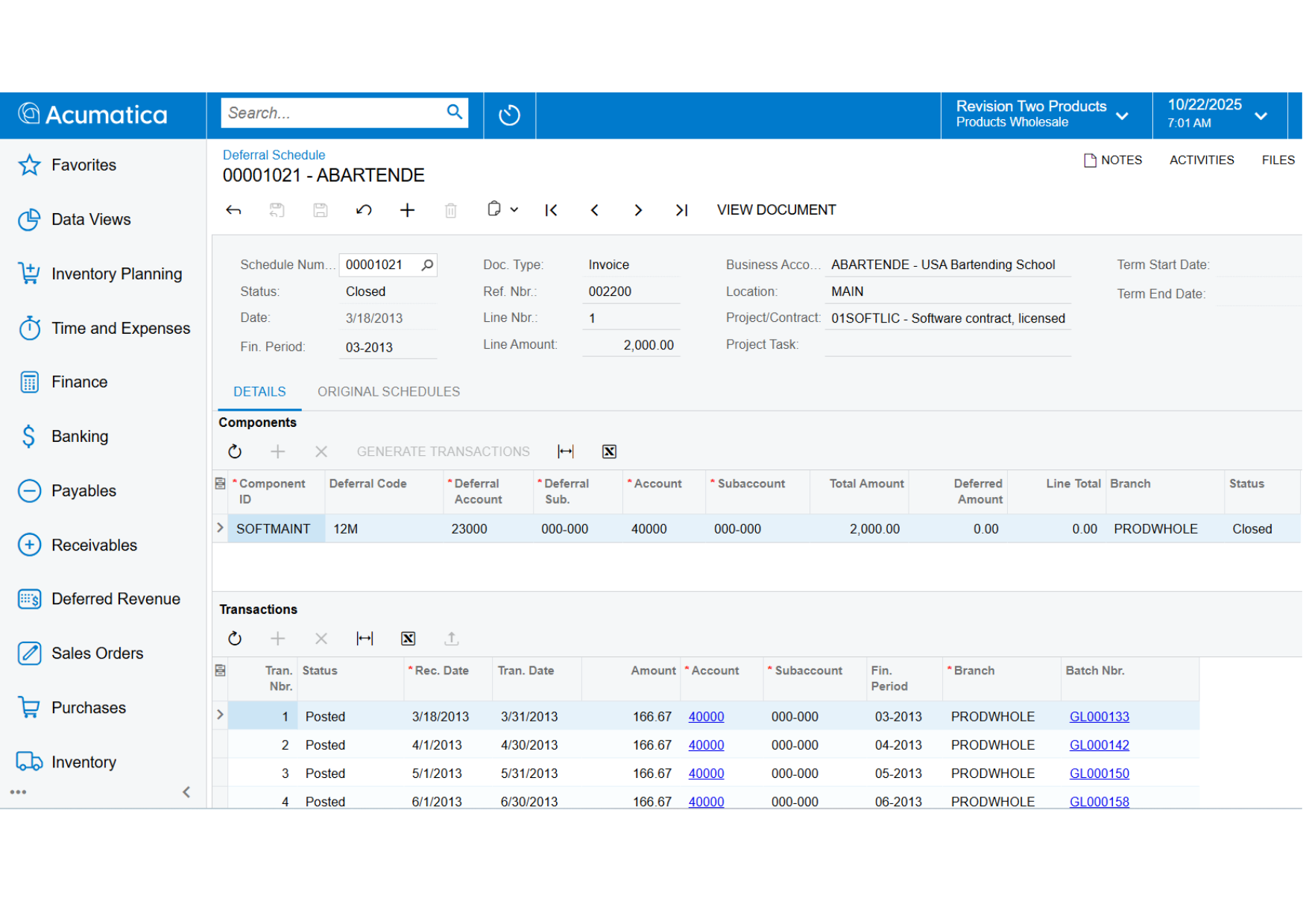
Automate deferred revenue calculations by assigning a schedule to any affected transaction line item or inventory component. Accurately implement and account for deferred revenues and deferred expenses through integration with other financial modules.
Key business benefits
Related Resources
Improve Control and Accounting for Revenue Recognition in Future Periods
Deferred revenue refers to advance payments a company receives for products or services to be delivered or performed in the future. Companies must record the amount received as deferred revenue, which is a liability on the balance sheet.
With Acumatica, financial leaders can automate deferred revenue calculations by assigning a schedule to any affected transaction line item or inventory component. Accurately implement and account for deferred revenues and deferred expenses by integrating with other financial modules. Use templates for payables for expense amortisation. Attach schedules to inventory items so Sales Orders and Purchase Orders are processed according to the proper accounting rules.
KEY FEATURES OF DEFERRED REVENUE ACCOUNTING
Automatic calculations. Automatically calculate deferred revenue according to established schedules.
Automatic posting. Post deferred revenue automatically.
Recognition in financial statements. Ensure that all deferred revenue is recognized in your financial statements without creating extra work for your accounting staff.
ASC 606 and IFRS 15 Compliance. Manage complex multi-element sales scenarios required by ASC 606 and IFRS 15 and customize Acumatica’s logic to meet your unique business requirements and workflow.
It used to take 10 workdays to complete what now takes 7 days. Most of the time savings is due to the automation of billing and deferred revenue/ expense. Before, we had to manually generate invoices and deferred postings via journals, which was very time-consuming.
–Shaun Jackson, Director of Finance, FixNetix
Multiple AR Accounts in GL
Map groups of customers to different AR accounts in the general ledger. Override the default AR account during document entry. Acumatica tracks account assignments and ensures correct offsets and amounts are applied when payment is applied.
Support for Multiple Currencies
Issue invoices and collect payments in any currency. Acumatica maintains customer balances in foreign and base currency. Automatic currency translation makes real-time adjustments, performs currency triangulation, and computes gain or loss.
Automated Tax Reporting
Calculate sales and VAT taxes and prepare for tax filing reports—automatically. Acumatica supports multiple tax items per document line, deduction of tax amount from price, and tax on tax calculation.
Customer Balances and Credit Limit Verification
Enforce credit limits automatically at order entry and at invoicing. Customer configuration options can block invoice processing or issue a warning. Create dunning messages for past-due accounts, and temporarily increase credit limits.
Audit Trails
Get a complete audit trail of all transactions. Correct errors by reversing fully documented entries. The system tracks user IDs for all transactions and modifications. Notes and supporting electronic documents are attached directly to the transactions.
Cash Conversion Process
Automatically find records in Accounts Payable, Accounts Receivable, and General Ledger impacted by cash, and post them to the newly created cash ledger along with the applicable expense and revenue accounts.
Payment Reversal and Automatic Payment Application
Apply payments automatically to the oldest outstanding documents. Easily void incorrect payment application—all affected balances will be reversed automatically.
Sales Commission Calculation
Calculate sales commissions automatically. You can split commissions among multiple salespeople, link them to specific line items, and pay when the invoice is issued or paid. Calculate commissions on a monthly, quarterly, or annual basis.
Overdue Charges Calculation
Calculate and apply overdue charges automatically. Compute overdue charges as a percentage or minimum charge amount.
Small Balances Write-Off
Write off small document balances, controlled by maximum write-off limit and eligible customers list.
Customer Account Security and Integrity
Specify which individuals and roles can view and modify customer account information and balances. Validate dates on financial forms and reject dates that do not match a period on the master calendar.