
Sales and Marketing
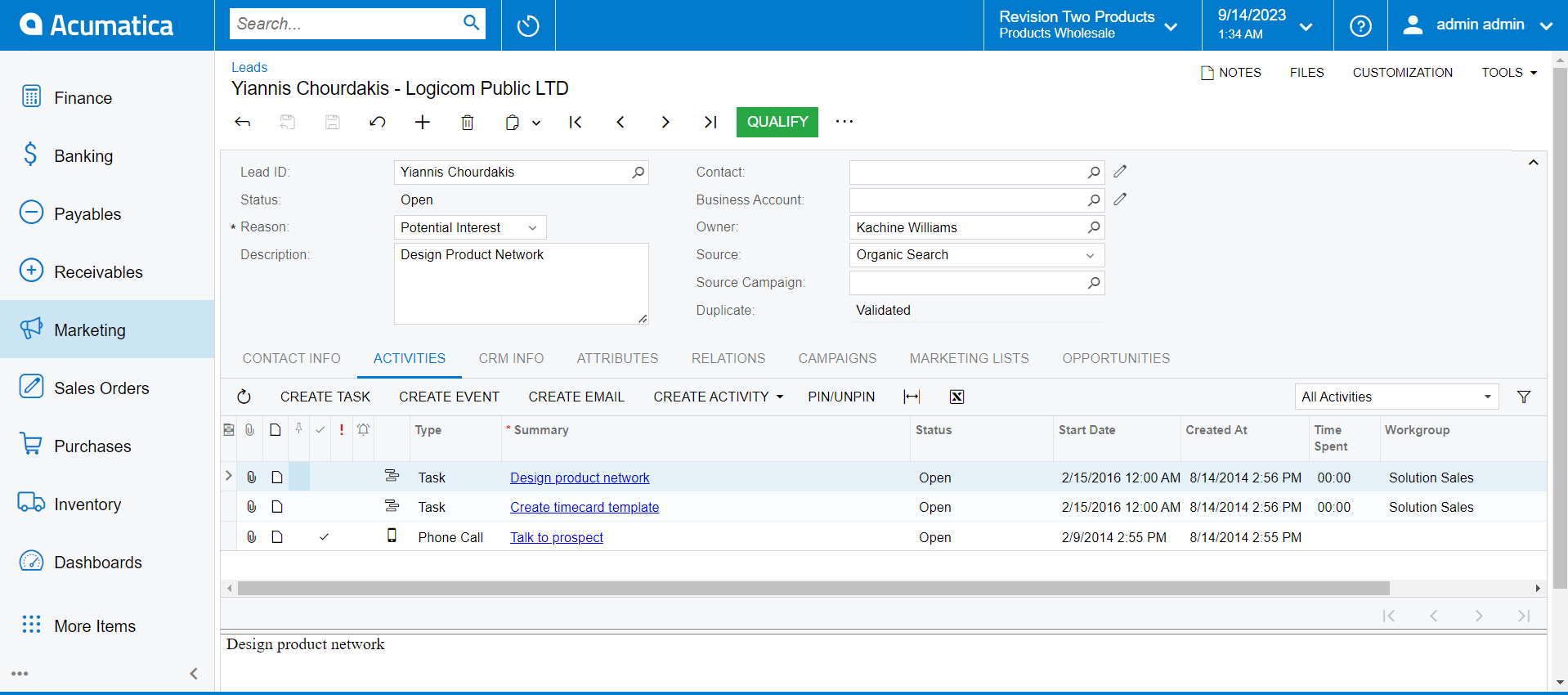
Acumatica delivers an embedded CRM solution, tightly connected with financials and content management, to reduce sales cycles, increase close rates, improve efficiency, and boost collaboration.
Key business benefits
CRM Related Resources
Integrate Sales and Marketing to Generate More Leads, Close More Sales
Acumatica Customer Management delivers customer relationship management (CRM) applications for managing leads, contacts, opportunities, and customer accounts.
OPTIMISE SALES AND MARKETING ACTIVITIES
Get an ERP and CRM that work together. From marketing and sales to delivery and post-sales support, customer information stays up-to-date and accurate. Track client interactions, complaints, purchases, and more.
Gain visibility. Get up-to-date sales and marketing data on real-time reports and dashboards that help manage forecasts, quotas, and results.
Be proactive. Reduce response times and improve satisfaction. Anticipate customer problems. Identify upsell opportunities. Automate reminders for call-backs, follow-ups, and requests.
Increase sales and marketing efficiency. Streamline lead management and sales processes with automated, integrated workflows. Create emails for automatic distribution on pre-defined, branded templates. Prevent delays by automatically tracking activities, delegating and reassigning tasks, and sending automated alerts. Leverage user-defined fields to search and filter records. Get consistent naming conventions. Create and manage events on one screen with side panels. Streamline fulfilment by linking orders and quotes to opportunities.
Track marketing effectiveness. Use marketing automation tools to manage leads, improve conversions, measure campaign performance, communicate with contacts, and link campaigns to profitability.
We’ve really turned up the volume of our contact. We’re projecting an 8-fold growth in the school segment of our business from when we first adopted Acumatica. Much of that growth has come from having a better CRM in place …
–David Salmon, Director of Information Services, ComCenter
Opportunity Management and Sales Automation
Get a complete view of opportunities and contacts. Gain efficiency with workflow-assisted lead assignment and sales management. Collaborate on deals, task assignments, and activities. Quickly create sales quotes and orders and share them with prospects. Automatically link sales orders to quotes and opportunities, preventing re-entry and enabling finance to quickly generate an invoice when the deal is closed.
Lifecycle Management
Track clients through prospecting, closing, and up-selling on a single, integrated system. Maintain a complete history of communication. Get a 360-degree view of customer activities and information with drill-down capabilities, so everyone in your organisation can better serve customers.
Integrated Marketing
Manage leads, improve conversions, measure campaigns, communicate with contacts, and more. Capture leads from web forms, lists, and events. Send branded emails. Track the best channels for qualified leads.
Campaign Management
Track campaign costs and revenues by selecting lists or criteria from your inventory of prospects, leads, contacts, and customers.
Integrated Document Management
Attach any digital document to leads, opportunities, and accounts. Once files have been attached to one document, the file can be linked to additional documents without uploading it again. Manage a central repository of collateral, email templates, price lists, contract templates, pictures, videos, and documents.
Lead Management
Automatically import, sort, and classify leads and contacts from Excel spreadsheets. Assign leads to sales or partners according to customised criteria and data. Automatically generate lists based on user-defined criteria, like purchase history, to support custom campaigns.
Approvals and Workflows
Use workflows to manage approvals in your sales processes. Restrict rights to specific customer accounts for security. Establish automated notifications across departments based on business activities and expedite workflows with pre-defined alerts. Track activities and delegate tasks. Automatically reassign outstanding tasks and unanswered approval requests when pre-defined conditions are not met.
Integrated Financials
Link campaign response rates and sales performance to profitability. Automatically integrate CRM with billing and finances. Support multiple base currencies in one tenant. Account and Contact Management Use AI with machine learning to capture business card contacts via mobile image recognition. Convert leads into accounts. Link contacts to activities, tasks, opportunities, cases, and documents. Import and edit leads, contacts, accounts, cases, and opportunities in bulk from Excel.
Email Management
Create emails with predefined, branded templates for rapid distribution. Automatically attach incoming and outgoing emails to CRM activities. Automatically track email responses.
Partnership Marketing
Assign leads to a “parent account” within your organization or to an external partner. Email leads to a partner or allow partners to view information inside Acumatica.
Data Management and Integrity
Preserve data integrity by removing duplicate contacts by name and/or address and using fuzzy logic to review fields with formatting discrepancies. Leverage Google and Bing address services to look up company and contact addresses.
Reporting and Dashboards
Get robust out-of-the-box summary reports on opportunities that report on multiple criteria, such as stage, estimated close, salesperson, and ID. Create announcements and default dashboards for each team member. Link sales and marketing staff to real-time information delivered in tabular or graphical form. Accelerate decision-making with reporting tools that deliver customized views of your overall business and focused views of departments and functions.
Task Management
Streamline task management with dedicated task windows that enable each user to view all tasks assigned to them, including task status, deadlines, and task pipeline.
Quick Access to Important Activities
Pin activities for quick access and tracking. Use configurable side panels to automatically display related data for accounts, contacts, opportunities, and orders without navigating away.