
Expense Management
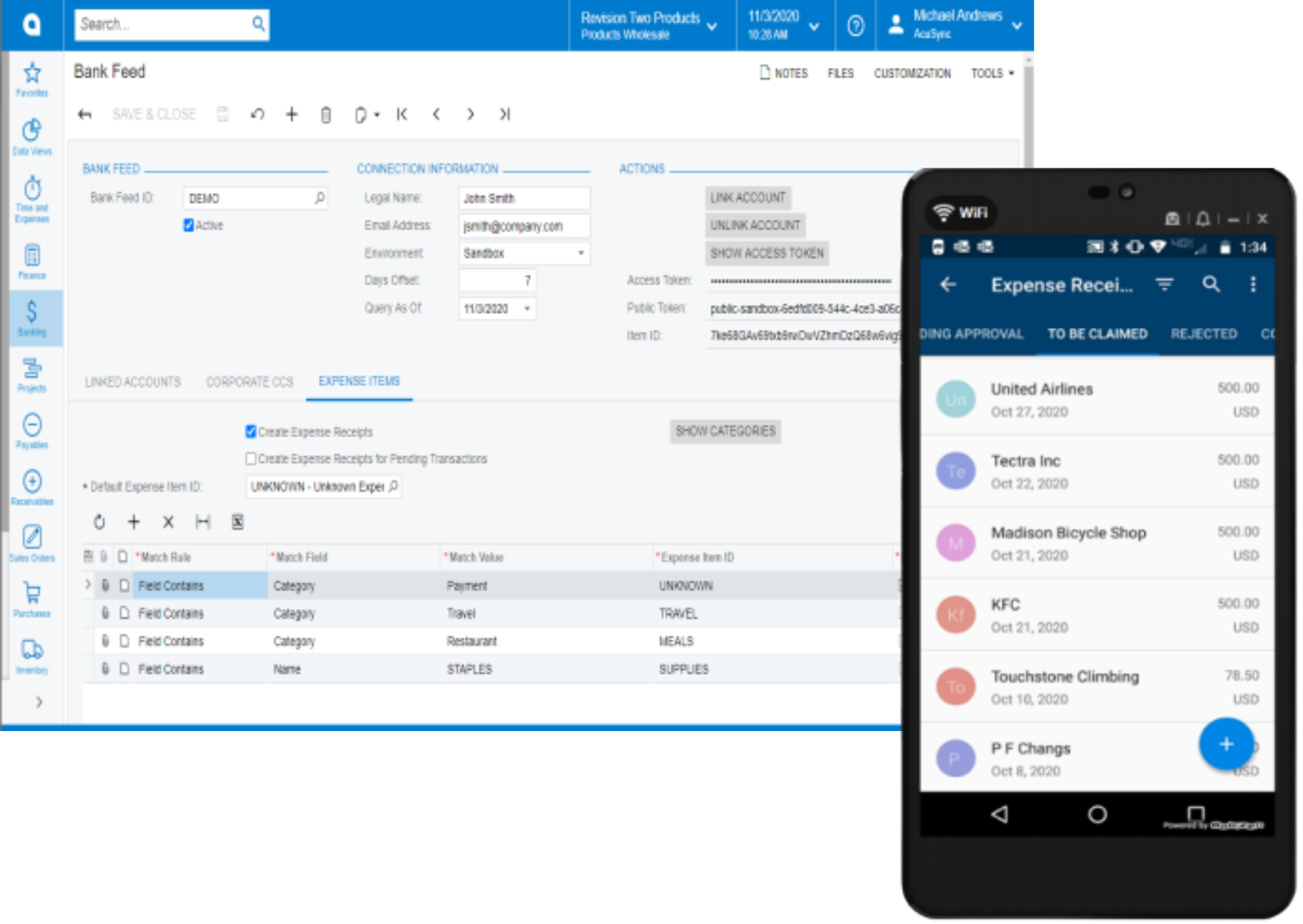
Acumatica’s Advanced Expense Management is designed to improve expense accuracy for accounting, project costing, and billing. The software automates expense recognition, importing, and processing. Expenses and receipts flow through to the project accounting system for improved project costing and more accurate customer billing. You can:
Key business benefits
Related Resources
Eliminate Manual Processes with Smart Matching, Alerts, and Automated Feeds
Save time and minimize errors with automated credit card transaction imports, smart matching with artificial intelligence and machine learning, and push notifications to remind employees to submit expense receipts via their mobile device.
SCHEDULED DATA SYNCHRONIZATION
Configure connections to more than 14,000 financial institutions to synchronise credit card transactions with Acumatica. Connections take minutes to configure with flexible schedules and multiple levels of security, including Multi-Factor Authentication (MFA), Advanced Encryption Standard (AES 256), and Transport Layer Security (TLS).
SMART MATCHING WITH AI AND ML
Default settings identify and automatically match expenses to general ledger accounts. For example, companies can define an office supply store expense to post to the office supplies GL account automatically. Further, artificial intelligence identifies which transactions are already in the system and automates the categorization of new transactions. Machine learning improves future import and matching processes by adjusting match algorithms to refine system accuracy.
AUTOMATED RECEIPTS AND PUSH NOTIFICATIONS
Advanced Expense Management automatically creates expense receipts from new credit card transactions. Remind employees to submit scanned receipts via their mobile device with email or text message push notifications. This process significantly reduces the time spent chasing down receipts and improves expense accuracy for accounting, project costing, and billing.
…I hear that over and over how easy it is to assign expenses to project, take a photo of a receipt from a phone, and in two minutes have it logged into the system.
–Derrick Elledge, VP of Operations, Power Storage Solutions
Expense Claims
Enable employees to enter expense receipts and submit expense claims with reimbursement for expenses incurred using personal accounts or corporate credit cards.
Automated Receipts
Take a picture of receipts on a mobile phone. Acumatica automatically creates an expense receipt from the image.
Fast Setup
Connect to over 14,000 financial institutions. Establish a secure connection in moments. Quickly set up data synchronization schedules and configure default settings for card owners and smart match category settings. Support transactions in multiple base currencies.
Push Notifications
Select a single employee or multiple employees to notify via email or text message when credit card transactions do not have an associated scanned expense receipt. Employees can submit expenses by scanning receipts on their mobile devices.
Smart Matching
Define default settings to categorize and post transactions to specific GL accounts. For example, the credit card statement category or vendor can automatically identify food or restaurant expenses to post to a meal and entertainment account. Artificial intelligence automates smart matching for credit card transaction imports and expense receipts with character recognition. Machine learning adjusts matching algorithms to improve match accuracy for future transactions.
Security & Audit Logs
Multi-Factor Authentication (MFA), Advanced Encryption Standard (AES 256), and Transport Layer Security (TLS) ensure safety and security for all information exchanges. Credit card feed updates are logged at the record and field level, providing traceability for all data transactions.