
Field Service Management
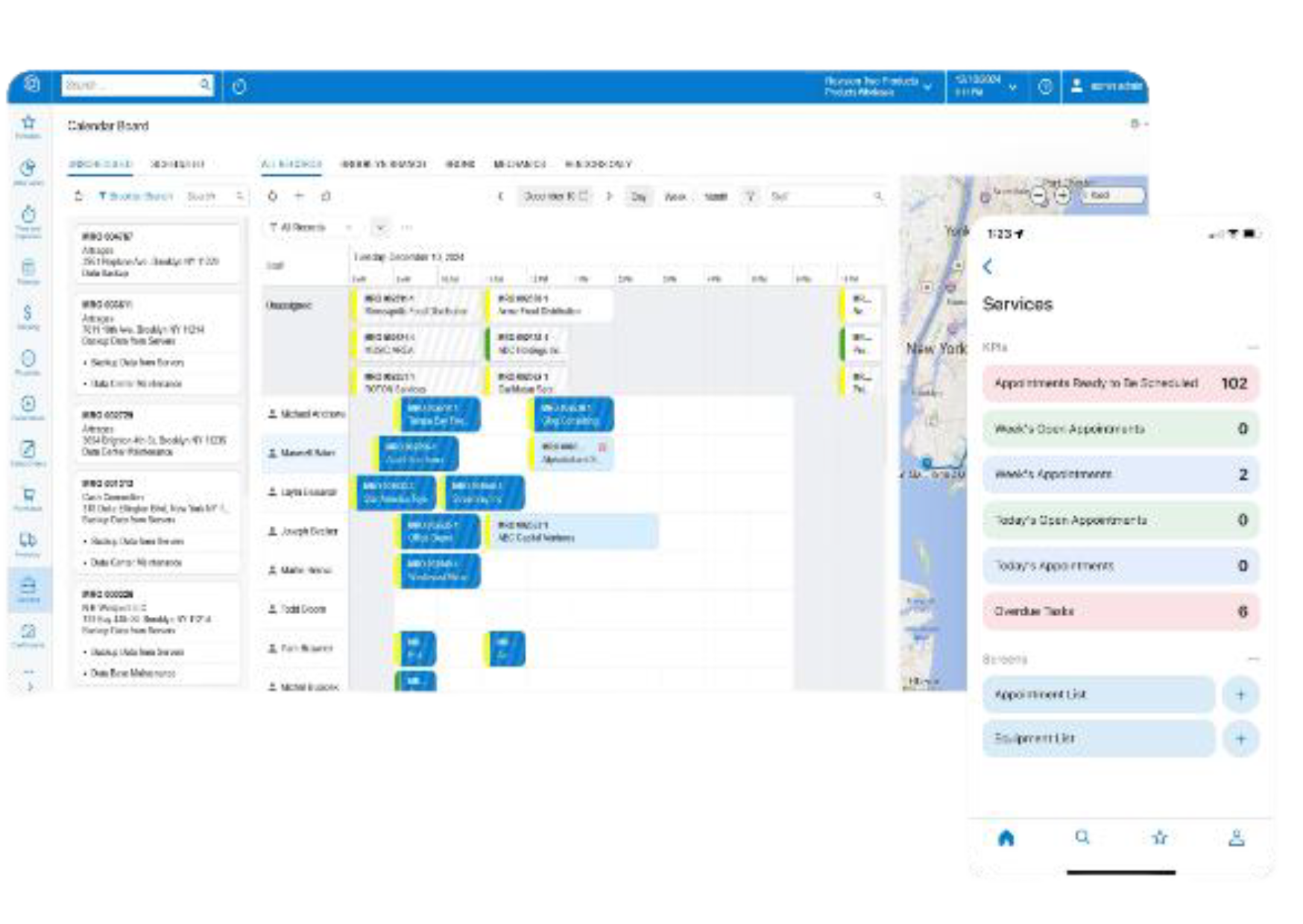
Acumatica Field Service Management provides contract management, appointment schedules, and a full-featured mobile application for service-driven businesses, wholesale distributors, construction companies, and manufacturers for deliveries, installation, maintenance, and repairs.
Key business benefits
Related Resources
Optimise, Streamline, and Mobilise Field Service Operations
Maximise dispatching by scheduling the right people at the right time and obtaining real-time data for work in the field. Seamless integration to inventory, purchasing, and projects provides service organizations with everything they need to grow their business.
WITH ACUMATICA FIELD SERVICE MANAGEMENT, YOU CAN;
Manage Contracts: Manage contracts for sale and service, maintenance repair, and recurring maintenance scenarios.
Schedule Appointments: Schedule technicians based on availability, location, skills, active licenses, or service areas.
Plan Inventory: Track inventory in warehouses and mobile vehicles. Leverage inventory replenishment and purchase orders to ensure inventory availability.
Improve Mobility: Empower technicians with a full-featured mobile application with GPS navigation, electronic signatures, credit card payments, mobile expense receipts, voice dictation for notes, image uploads, and appointment details.
Manage Projects: Track multi-phase projects. Compare original to revised budgets. Manage billing with fixed-price, cost-plus, or capped project costs.
Improve Customer Visibility: Service management integrates with Acumatica CRM providing access to sales history, support cases, and activity history. The customer portal provides access to invoices and other information online.
Prior to Acumatica, we would spend a lot of time in multiple different systems. Now we spend all our time in Acumatica, and it allows management to see what we’re doing at any given time.
– Daniel Ruiz, Field Service Manager, OFS International
Calendar Boards
Create new appointments or assign resources to scheduled ones. View resource schedules by day, week, or month. Generate different views by filtering appointments into subsets to facilitate easy viewing for multiple dispatchers, grouping by technician, skills, service areas, or type of work.
Appointment Scheduling
Update technician schedules from the office. Technicians can start and end appointments in the field, providing instant status updates to users in the application. Manage single or multi-day appointments and pause appointments for travel or break times.
Inventory Planning
Track inventory by warehouse location. Identify inventory serial or lot detail. Transfer inventory between physical or mobile warehouse locations. Manage inventory based on usage and run replenishment reports to avoid costly rush orders.
Resource Scheduling
Schedule technicians based on workload, location, skill, or certifications. Ensure technicians have the right equipment and inventory to complete the job.
Resource Tracking on Maps
Visualise the anticipated route for the technician. See GPS location of technician on map if needing to make any emergency change to schedule or communicate timing with customer.
Mobile App
Update appointments on the road or at customer locations using the mobile application available for Android and iOS. Access customer history, capture payments, and capture signatures directly from your mobile device. Enter expense receipts and streamline service expense workflows with scanned receipt image recognition from the mobile app.
Self-Service Portal
Empower customers with online access to customer account information. The portal lets them review invoices, request quotes, and download invoices, statements or other documents. Give customers service-related updates through the portal.
Multi-Language and Localisation
Support multiple languages, date formats, and number formats. Define defaults by user for both the web and mobile applications.
Equipment Management
Extend Service Management by adding the Equipment Management application. Record the history of customer-owned or company-owned equipment. Create maintenance and service schedules with recurring appointments.
Warranty Management
Establish warranty offers for your customers, specifying which parts are under warranty to avoid confusion, mischarges, and objections. Multidimensional contracts (different warranty periods for various components of the system) help to track warranties from sales to repair in the field, specifying what is covered and what is not.
Enterprise-Wide Integration
Convert CRM opportunities into service orders and create service appointments from opportunities or projects. Allocate stock items to service orders and generate purchase orders from the field. Create appointments for a project and manage budgets and profitability across projects. Capture time for payroll. Manage inventory with integrated purchasing, requisitions, and robust inventory replenishment logic.
Flexible Billing
Generate invoices based on estimations or actuals and group them by service order, period, or customer purchase order. Set different billing rules for the customer and for service order types. Contract billing can be scheduled at the beginning of the month, end of the month, or on demand when work is completed. Billings may be a fixed amount or based on time and materials. Simplify cost tracking by linking accounts payable bills to field service appointments for comprehensive expense management and financial analysis by appointment.
Contract Renewals
Simplified service contract renewals optimize and streamline business workflows.
Side Panels
Use side panels for a quick and comprehensive view of key data without navigating out of the current window. Easily drill down into relevant details on any record selected with standard prebuilt side panels or build custom side panels for different uses and roles.